Published: Dec 29, 2025 by James K
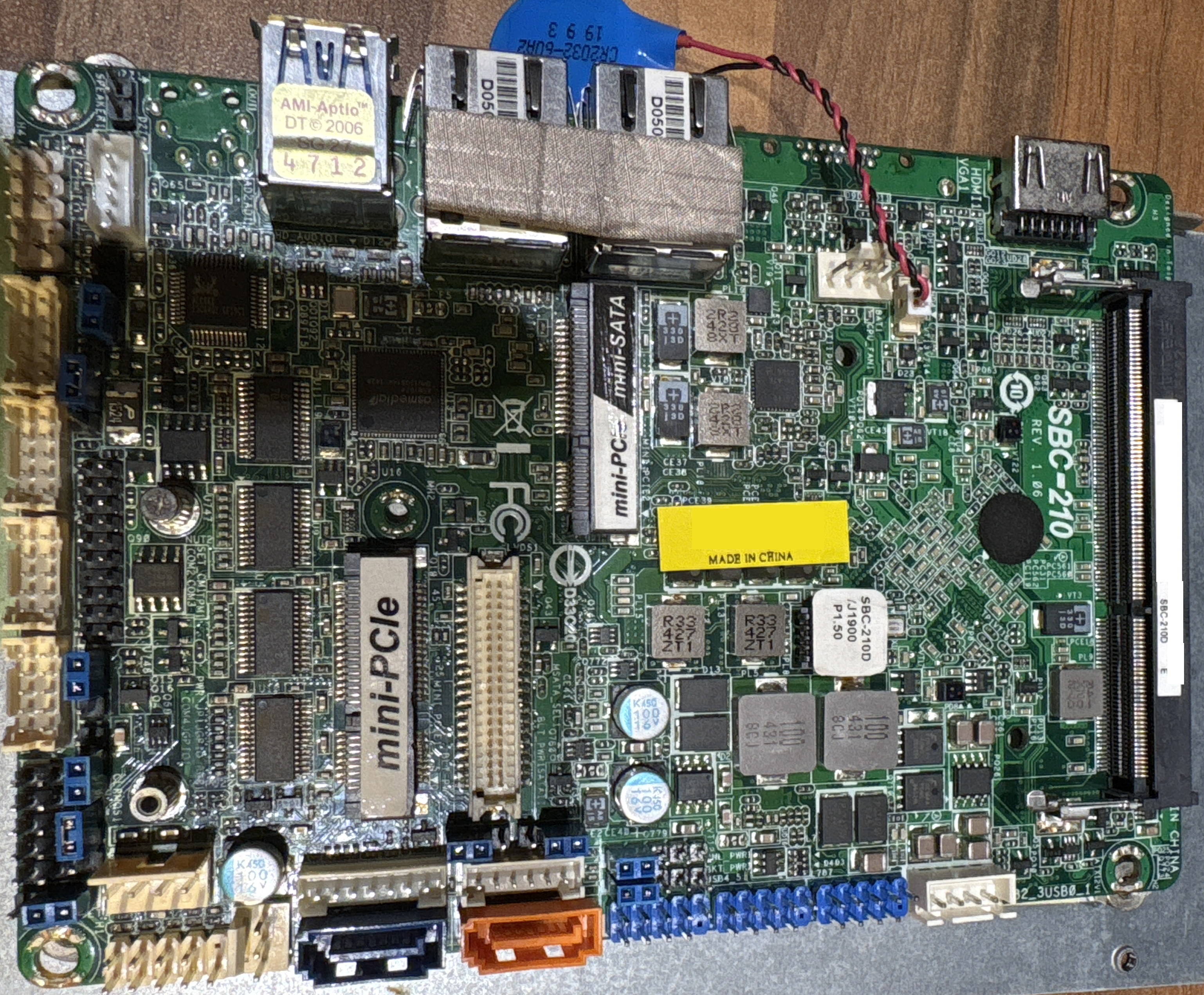
A few months back, I rescued a ASRock SBC-210D from a WEEE bin. I’m a bit of a skip-diver when it comes to decent electronics that have been thrown away, because most of the time, I can repair broken things, and I really hate the amount of electronics that end up going to landfill (aka Silicon Heaven). And to put my money where my mouth is, I volunteer every month at a local repair cafe, where people bring in their broken electricals and electronics, and I repair these things for people. It’s nice to help out and do a little bit for the environment.
Anyway, I liked the look of this SBC-210D, a nice little Single Board Computer (that’s what the SBC stands for). I thought it could be a nice x86 alternative to a Raspberry Pi for a Dashboard for my Home Assistant setup. Well, turns out, it was actually dead - nothing on the screen, no start-up debug beeps. Nothing!
I’d never repaired an x86 motherboard before, so thought it would be a good time to try!
… I failed. I spent far too long working on this thing, I definitely gave it a good go, but in the end, I decided I had spent too long on it.
What I Tried
Since it was not doing anything when power was applied, I verified that all the voltage rails were correct. Unsurprisingly, I couldn’t find a schematic diagram for this board, but I was able to find a full-layer board layout file, which I opened in BoardViewer. Very conveniently, this shows all the nets in the design, so I was able to identify all the power rails, and probe them at accessible points. I was going to mirror the layout file that I used here on this site, but I don’t want ASRock to come at me with a legal hammer. I managed to find them with a little bit of Google-fu, so you should be able to too.
Okay, so the voltage rails were fine. I’d removed the SSD drive, and fitted known working RAM. But I was getting no Power On Self Test - POST. I knew this because I was getting nothing on any of the video outputs, and the system buzzer was not beeping at me to tell me what was wrong. Even a basic POST failure normally results in a beep code or video initialisation. So, it looked like the BIOS was not doing its job in bringing up the processor and peripherals.
The BIOS is on a Winbond W25Q64FW 64Mbit 1.8V Serial Flash Memory. It’s a SPI NOR Flash, and very conveniently, not only is it a nice SOIC-8 package, but it is also not soldered to the board - it is in a SOIC-8 IC socket. I wondered if there was something wrong with the SPI preventing the BIOS from being loaded. I used my Oscilloscope to check this - Clock was present, CS was asserted during reads, and MOSI/MISO activity matched a valid SPI transaction.
So maybe the BIOS is corrupted? I have an XGecu T48 programmer that is able to read and write to the BIOS chip, so I tried looking for a BIOS dump for the SBC-210D. I came up empty handed. ASRock don’t provide the raw BIOS files, and although a few websites claimed to have it, I was not able to get a download of it.
I read the contents of my Winbond chip, I used ChatGPT to sanity-check structure and look for obvious corruption (not expecting miracles). It gave me a few attempts at repaired BIOS, which I wrote to the BIOS chip, but this didn’t work. So I decided to try another angle - I was able to access another working SBC-210D, so I took the BIOS chip out, and read the contents to create a known good BIOS dump.
I wanted to verify that my Winbond BIOS chip does work, so I put the BIOS dump onto my chip, and put it in the working SBC-210D, and it worked, so the Winbond chip is not the problem. But, when I put it back in the broken SBC, it still does not work. I tried re-writing the BIOS, but it still did not work. After using the BIOS in the SBC, I re-read the contents of the chip, and compared it to the working dump, and it turns out, that after turning on the SBC, the contents of the BIOS chip get changed.
This surprising discovery was that simply applying power to the faulty SBC caused the contents of the BIOS flash to change. By dumping the chip before and after power-up and comparing the binaries, I could see consistent, structured differences — not random corruption.
This strongly suggests that the CPU or firmware is attempting to write to the SPI flash very early in the boot process, and something is going wrong part-way through. I tried manually asserting the Write-Protect pin of the BIOS chip to prevent changes, which does indeed prevent the BIOS being changed, but also does not fix things either.
At this point, the most likely causes are a fault in the SoC, chipset, or power-good / reset sequencing that causes early firmware execution to fail while writing to flash. These are not realistically repairable without board-level schematics or BGA rework. I’d already spent a lot of time on this so I felt at this point it was justifiable to accept defeat. Not every repair is winnable, but this one still taught me a lot about x86 boot flow, SPI flash behaviour, and when to stop digging.
But a little bit of positivity
Since I was not able to find a SBC-210D BIOS dump and ended up getting one on my own, I thought it would be good to share this BIOS dump in the hope that maybe it will help someone else out there, and hopefully have a better outcome than me!